

Free YouTube Channel Analyzer: Check Views & Engagement
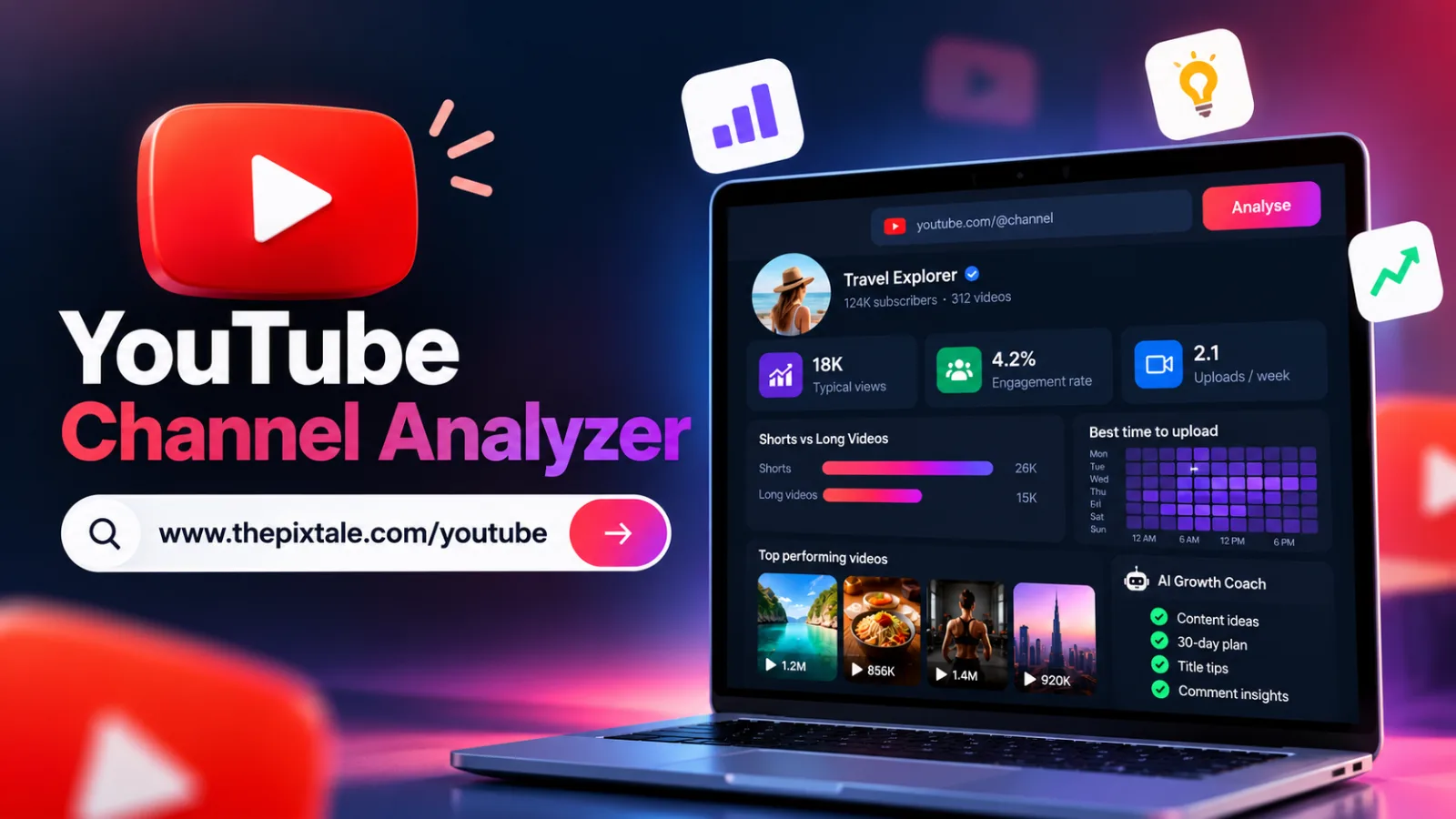
Analyze any public YouTube channel for typical views, engagement rate, Shorts vs long videos, upload timing, and AI-powered growth insights for free.
Free YouTube Channel Analyzer: Check Views & Engagement
Want to understand how a YouTube channel is performing before creating your next video? A YouTube channel analyzer helps you review video views, engagement, upload frequency, Shorts performance, and other useful metrics without relying on subscriber counts alone.
Whether you are a YouTube creator, marketer, agency, or business, analysing public channel data can help you identify content patterns, research competitors, and discover opportunities for improvement.
With Pixtale Growth's free YouTube Channel Analyzer, you can analyse a public YouTube channel and turn its recent video data into practical insights for your content strategy.
Try the Free YouTube Channel Analyzer
What Is a YouTube Channel Analyzer?
A YouTube channel analyzer is a tool that examines publicly available channel and video information to help you understand content performance.
Instead of manually opening dozens of videos, you can review useful metrics and patterns in one report.
Depending on the available public data, channel analysis can help you understand:
Typical views on recent videos
Engagement rate
Upload frequency
Shorts versus long-form video performance
Popular and weaker-performing videos
Title patterns and content opportunities
Potential upload-day and time patterns
These insights can help you make more informed decisions about what to publish next.
How to Analyse a YouTube Channel for Free
You do not need to own a channel to research its publicly available performance. You can analyse your own channel or study a competitor's public channel.
Follow these steps:
Find the YouTube channel you want to research.
Copy its channel URL or handle.
Open the Pixtale Growth YouTube Channel Analyzer.
Paste the channel link or handle into the search field.
Run the analysis and review the report.
The tool also supports a video link from the channel, according to its current interface.
Analyse a YouTube Channel for Free
1. Check Typical Views Instead of Subscriber Counts Alone
A large subscriber count does not automatically mean every video receives high views.
Typical views help you understand how a channel's recent videos usually perform. Comparing typical views with a channel's highest-performing videos can also help you identify content that performs above its normal range.
For example, if most recent uploads receive similar view counts but one topic performs noticeably better, that topic may be worth researching further.
Use this information to develop content ideas rather than assuming the same result is guaranteed for your own channel.
2. Analyse YouTube Engagement Rate
Views tell only part of the story. Engagement provides additional context about how viewers interact with content.
Depending on the data available, engagement analysis may include likes and comments relative to views or another defined denominator. Always check how a tool calculates its engagement rate before comparing reports.
Compare channels within similar niches and consider differences in audience size, video format, and publishing history.
3. Compare YouTube Shorts vs Long-Form Videos
Shorts and long-form videos serve different viewing habits and content goals.
A channel may receive more views on Shorts, while longer videos may be better suited to tutorials, detailed explanations, or in-depth storytelling.
Pixtale Growth's YouTube Channel Analyzer compares Shorts and long-form video performance using real medians from the analysed channel's available recent uploads.
Use this comparison to investigate which format appears more effective for your topic and audience.
4. Find Upload Patterns and Publishing Opportunities
Creators often want to know the best time to upload YouTube videos. Historical performance can help you explore potential patterns, but it cannot guarantee future results.
Pixtale Growth analyses available upload-day and time patterns to help identify when videos on a channel have received more views.
Use these findings as a starting point. Your own audience's habits, content quality, topic, and distribution can affect results.
5. Research Competitors and Video Title Patterns
Competitor research can help you discover topics and formats worth testing.
Review a channel's stronger and weaker-performing videos, then look for patterns in:
Video topics and formats
Title structure and wording
Upload frequency
Shorts and long-form performance
Recurring themes in successful uploads
Avoid copying another creator's titles or assuming that one successful video reveals the full reason behind its performance. Instead, use the data to develop original ideas for your audience.
Get AI-Powered YouTube Growth Insights
Numbers are useful, but knowing what to do next can be challenging.
Pixtale Growth's Plus and Pro plans add AI Growth Coach features, including quick wins, a 30-day growth plan, five video ideas, title tips, and insights into what viewers say in comments.
The Pro plan also includes comment sentiment analysis, helping you explore the tone of available audience comments.
These recommendations are intended to support planning and experimentation, not guarantee views or subscriber growth.
Free vs Plus vs Pro: YouTube Channel Analysis
Pixtale Growth currently lists these daily channel-analysis limits:
Free: 3 channels per day, with subscribers, typical views, engagement rate, upload frequency, Shorts versus long-form comparison, and top three videos.
Plus: 10 channels per day, with additional video-level analysis, upload patterns, title patterns, weaker-performing videos, tags, and AI quick wins.
Pro: 20 channels per day, including Plus features, a 30-day plan, five video ideas, title tips, and comment insights.
Check the live pricing page for the latest plan details and availability.
Who Should Use a YouTube Channel Analyzer?
A YouTube channel analyzer can be useful for:
YouTube creators researching their own content performance
Agencies preparing channel reviews for clients
Social media managers comparing video formats and publishing patterns
Businesses evaluating public channels in their niche
Researchers and marketers exploring competitor content opportunities
The best insights come from comparing relevant channels and using the results to guide your next experiments.
Frequently Asked Questions
Can I analyse any YouTube channel for free?
Pixtale Growth offers a free plan for analysing public YouTube channels, subject to its daily usage limits and available data.
Can I analyse a competitor's YouTube channel?
Yes. You can enter a public channel URL or handle to review available public information without needing to own that channel.
Does a YouTube channel analyzer show private analytics?
No. Public channel analysis cannot reveal private YouTube Studio information, such as a competitor's private watch time, revenue, or audience retention data.
Can this tool tell me the best time to upload?
It can identify historical upload-day and time patterns from available channel data. These patterns are useful clues, not guaranteed predictions.
Does Pixtale Growth guarantee more views?
No. The tool provides analysis and recommendations to support better content decisions. Actual results depend on your videos, audience, niche, and YouTube's distribution systems.
Start Analysing YouTube Channels
You do not have to guess which video formats, topics, or titles deserve further research. Analysing public channel data can help you understand typical performance, compare Shorts with long-form videos, and discover opportunities to test.
Try Pixtale Growth's YouTube Channel Analyzer to research a channel and plan your next content experiments.
Analyse a YouTube Channel for Free
Check any Instagram account free
AI rating, niche, engagement rate and top posts for any public profile. No login.
Analyse an account